How to set up Wi-Fi access on Chromebook
In this article, we will explain how to set up Wi-Fi access on Chromebook.
UMH has a wireless network, conceived as an alternative connection method to traditional cable connections. This aims to meet the needs of users who require dynamic and flexible occasional connections.
There are three types of connections available:
- Secure connection: Iumhnet
- Open connection: Iumhweb
- Secure connection: eduroam
Next, we will see how to connect to the Wi-Fi network.
Detailed guide:
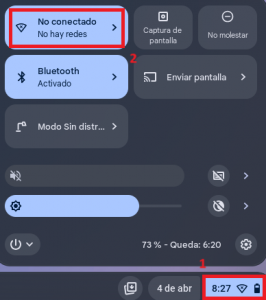
- Select the network icon located on the right side of the bottom bar. Then click on “Not Connected“.
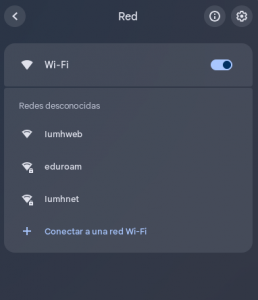
- Select the desired network, in this example we will use “eduroam“.
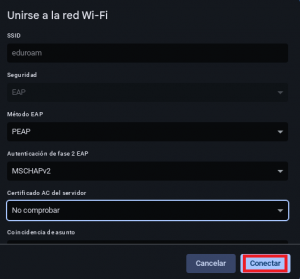
- A configuration menu will appear, complete the following data:
- Click Connect.