How to set up Wi-Fi access on macOS
In this article, we will explain how to set up Wi-Fi access on macOS.
UMH has a wireless network, conceived as an alternative connection method to traditional cable connections. This aims to meet the needs of users who require dynamic and flexible occasional connections.
Coverage is total in common use or temporary stay areas such as libraries, meeting rooms, auditoriums, lobbies or large distributors, reading or study rooms, cafeterias, etc.
There are three types of connections available:
- Secure connection: Iumhnet
- Open connection: Iumhweb
- Secure connection: eduroam
Detailed guide
- Click on the network icon located in the menu bar, at the top right.

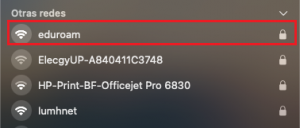
- Click on the “eduroam” network.
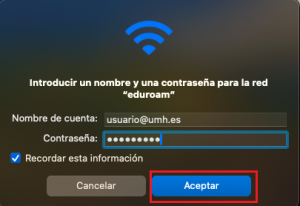
- In “Account Name,” enter your username followed by @umh.es and enter your password. Then click “Accept.”
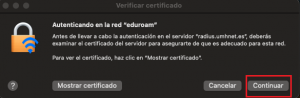
- Finally, click “Continue.”