How to send large files with the FileSender application
FileSender is a free web-based service provided by RedIris that allows the exchange of large files that cannot be sent as email attachments. It is ideal for sharing files with people outside the organization. You can access FileSender here.
Features:
- Allows transferring one or multiple files up to 100GB.
- Automatic deletion of shared files after 30 days.
- Allows sending invitations to external users so they can send you large files.
- User panel for transfer and invitation control.
- Transfer and download reports of the file. Includes trace auditing.
- Allows multiple recipients, up to 100 email addresses, in a single send.
- Allows setting “expiration” for sent files, as well as “invitations” to external users. Maximum of 30 days.
- Confidentiality of information guaranteed in the RedIRIS cloud.
To access, you must validate yourself with your UMH credentials, as the service is federated with the university.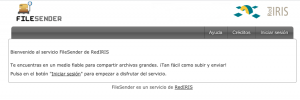
After clicking on “Log in,” the system will ask us to indicate our organization; we must select the Miguel Hernández University of Elche.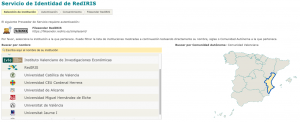
We will be redirected to the university’s website to validate with our credentials.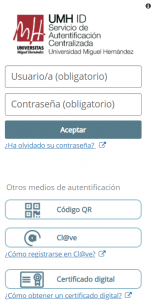
Now you just need to add the desired file and indicate the recipient’s email address.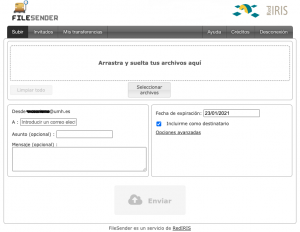
| Warning
FileSender is a third-party tool, so we cannot provide support for it. |
| Related URL
https://www.rediris.es/filesender/ |