How to check the validity of a digitally signed document with Autofirma
The Autofirma software facilitates checking the validity of a document signed in the Administration field but requires installation on your device.
Detailed guide
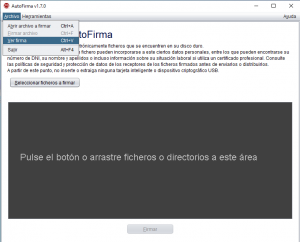
- Run the “AutoFirma” application, click on “File/View signature”.
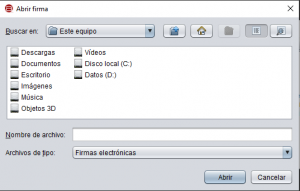
- Select the file you want to check and click “Open”.
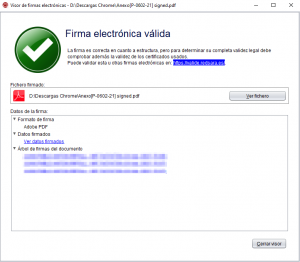
- When you open it, the following window will appear with information about the validity of the file’s certificate signature.
| Warning
Autofirma does not perform a complete validation of the signature, for example, it will not detect cases where a certificate was revoked at the time of signing. For a complete check of the legal validity of a certificate, use the valide portal. |