How to delete an expired digital certificate on a Windows system
In this article, we will explain how to delete an expired digital certificate on a Windows system.
The following process outlines the steps to delete the certificate:
Detailed guide
- Access the search located at the bottom left or by pressing the “Windows” key.

- Type “Internet Options” and click and click on the option suggested by the system.
- Once inside, go to the Content tab.
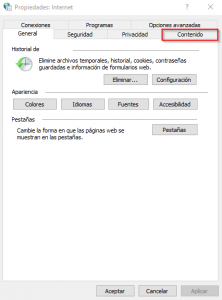
- Now click the Certificates button.
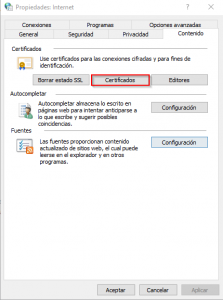
- Once inside, select the certificate you want to delete and click the Remove button.
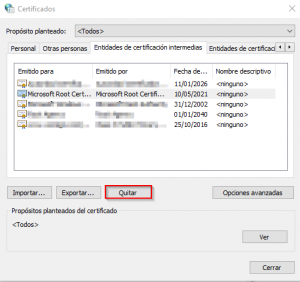
- When the following warning window appears, click Yes.
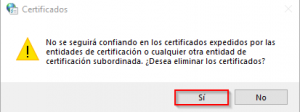
- Once all the steps are completed, you will see that the certificate has been successfully deleted.